.NET, SQL Server , WEB, Angular, Powershell, Azure
Author: jeevan
I am a passionate software developer. I develop software using microsoft technologies and other trending web technologies. currently works at sitecore as a developer
I found my self in a situation where I needed to deploy Azure storage account with a blob container and generate connection string with SAS token and update one of the web app’s settings with generated connection strings.
For this purpose, I used linked ARM template and created Storage account and blob container and generated the connection string with SAS token and output from that template so that master template can use this value.
We need to Craft ARM template as below for our requirement.
This file contains hidden or bidirectional Unicode text that may be interpreted or compiled differently than what appears below. To review, open the file in an editor that reveals hidden Unicode characters. Learn more about bidirectional Unicode characters
We can find more details about parameters specified herein above Microsoft documentation.
Generate connection string with storage account key
We can generate connection string which has full access to storage account with Storage account access keys. We can use listKeys ARM function for this.
Azure provides a helpful number of functions which can be used in ARM templates. It makes our life easier.
We can see the complete list of Azure ARM function here
Apart from that in some situations, you may find your self where you need to implement custom function inside ARM templates. So we can reuse it. So it is DRY.
Typically, we use complicated logic inside the function that we don’t want to duplicate in the ARM template.
So is it possible in ARM template? Yes, ARM templates give us the opportunity to implement custom functions. 🙂
Keep in mind. There are some restrictions when we use functions as below.
The function can’t access variables.
The function can only use parameters that are defined in the function. When you use the parameters function within a user-defined function, you’re restricted to the parameters for that function.
The function can’t call other user-defined functions.
Parameters for the function can’t have default values
The custom function should be declared inside functions property in an ARM template.
Following is a sample function which accepts the container name as a parameter and appends resource group location to container name.
This file contains hidden or bidirectional Unicode text that may be interpreted or compiled differently than what appears below. To review, open the file in an editor that reveals hidden Unicode characters. Learn more about bidirectional Unicode characters
Following snippet shows actual usage of this function.
This file contains hidden or bidirectional Unicode text that may be interpreted or compiled differently than what appears below. To review, open the file in an editor that reveals hidden Unicode characters. Learn more about bidirectional Unicode characters
So I ran into a situation where I needed to copy a directory to a specific destination through MSBuild.
This is how I could achieve my goal.
This file contains hidden or bidirectional Unicode text that may be interpreted or compiled differently than what appears below. To review, open the file in an editor that reveals hidden Unicode characters.
Learn more about bidirectional Unicode characters
Service principle are non-interactive Azure accounts. Applications use Azure services should always have restricted permissions. Azure offers Service principals allow applications to login with restricted permission Instead having full privilege in non-interactive way.
Using Service Principal we can control which resources can be accessed.
For Security reason, it’s always recommended to use service principal with automated tools rather than allowing them to log in with user identity
Create a Service Principal with PowerShell.
Note: For this demo we are using Azure RM PowerShell module. Azure has introduced new PowerShell module called AZ. Create AD App
Create AD app
This file contains hidden or bidirectional Unicode text that may be interpreted or compiled differently than what appears below. To review, open the file in an editor that reveals hidden Unicode characters.
Learn more about bidirectional Unicode characters
This file contains hidden or bidirectional Unicode text that may be interpreted or compiled differently than what appears below. To review, open the file in an editor that reveals hidden Unicode characters.
Learn more about bidirectional Unicode characters
This service principal is valid for one year from the created date and it has Contributor Role assigned. Further using this Service principal application can access resource under given subscription. We can scope to resources as we wish by passing resource id as a parameter for Scope.
View created AD app in Portal
1. Log in Portal
Go to Azure Active Direcoty -> App Registrations
We can find the created app as below
Once we click the app we will see app details as below
We need this information when we need to login through Service principal
Login using Service Principal with Powershell
This file contains hidden or bidirectional Unicode text that may be interpreted or compiled differently than what appears below. To review, open the file in an editor that reveals hidden Unicode characters.
Learn more about bidirectional Unicode characters
Once we run the script we can successfully log in to Azure using Service Principal
Full code: 🙂
This file contains hidden or bidirectional Unicode text that may be interpreted or compiled differently than what appears below. To review, open the file in an editor that reveals hidden Unicode characters.
Learn more about bidirectional Unicode characters
In some cases, we need to run some script in administrator mode.
Sometimes we face a situation where we want to know whether the script is running on Administrator mode.
Following script says whether PowerShell script is running on Administrator mode or not.
$elevated = [bool](([System.Security.Principal.WindowsIdentity]::GetCurrent()).groups -match "S-1-5-32-544")
if($elevated -eq $false)
{
throw "In order to install services, please run this script elevated."
}
else {
Write-Host "You are in Administrator mode"
}
In some cases we need to call POST REST API using Powershell.
Let’s go through sample code to get to know how it is done using Powershell.
In this Article we will go through below topics.
Create sample Web API
Invoke Web API in Powershell
Create Sample Web API
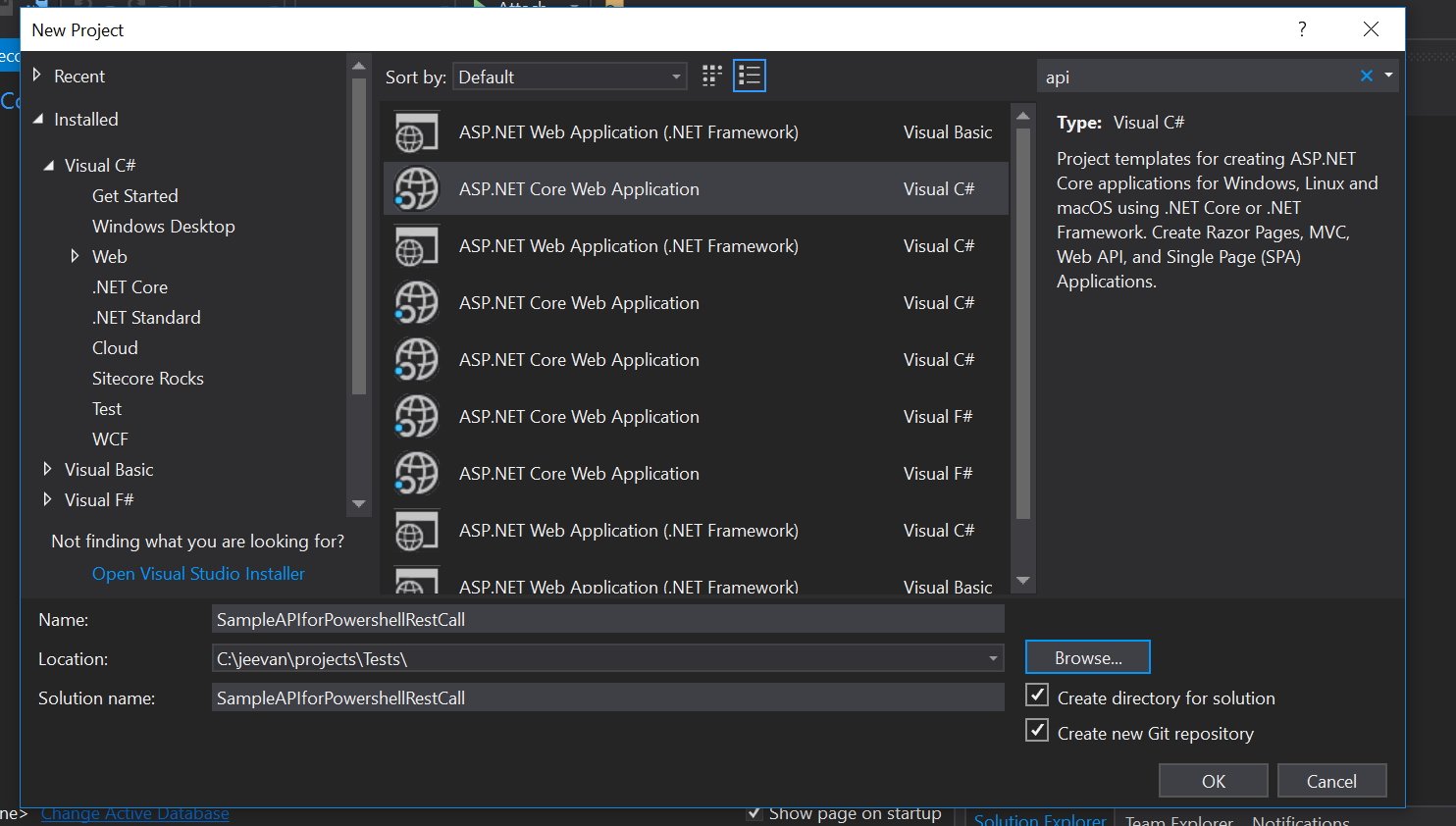
Create ASP.NET Core Web Application
Select API option
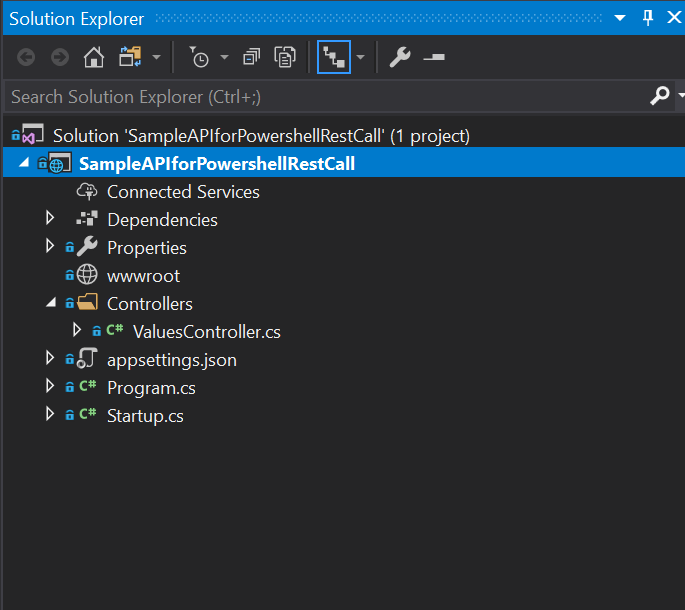
Once project created we can see default values controller as below
We need our API to accept some Data. So we will create Modal class for that
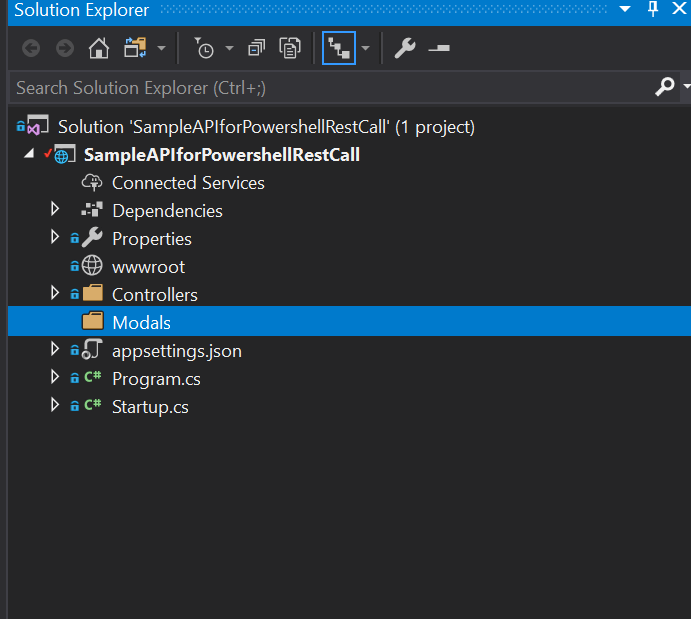
Create Modals Folder
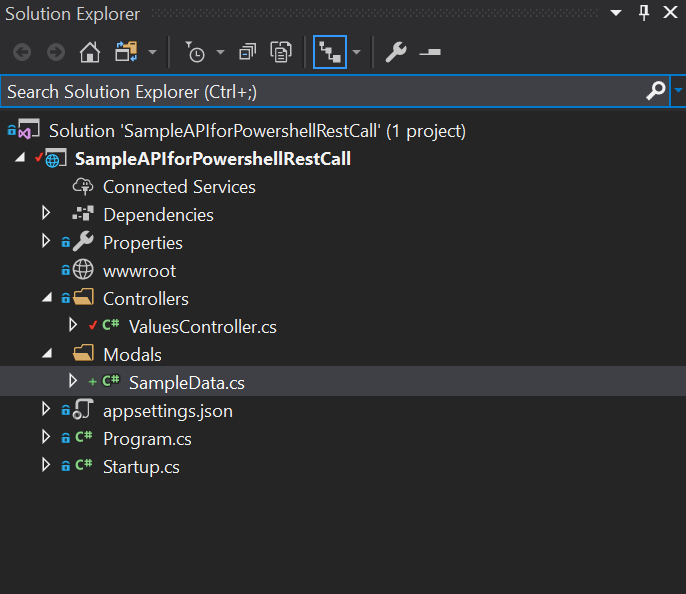
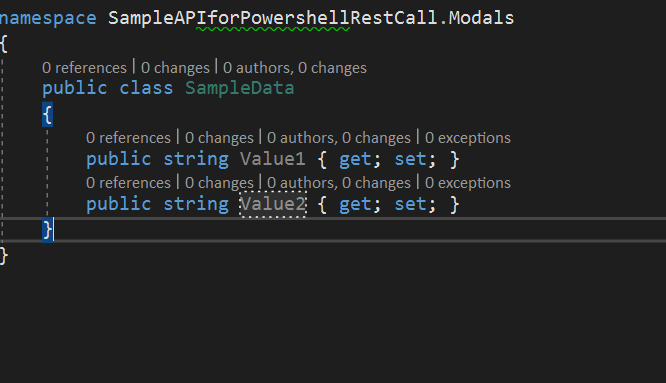
Create SampleData class under Modals Folder
Add Sample properties to the class. I created Value1 and Value2 as string type.
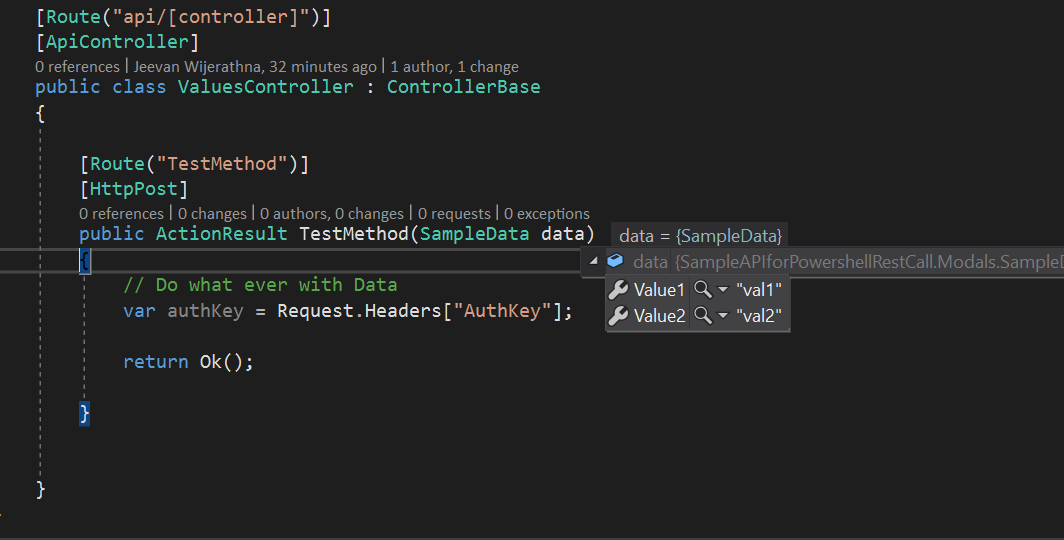
Implement API method in ValuesController as below.
[Route(“TestMethod”)]
[HttpPost]
public ActionResult TestMethod(SampleData data)
{
// Do what ever with Data
var authKey = Request.Headers[“AuthKey”];return Ok();
}
Invoke Web API in Powershell
Open Powershell ISE and write following codes to invoke REST API.
We have found our self needing to connect Sitecore Rocks to Sitecore 9 instance.
When we try to connect to Sitecore 9 instance in Sitecore Rocks in the first time we can not connect.
In order to make it work we have to tweak web.config with following entry to system.web xml node.
This file contains hidden or bidirectional Unicode text that may be interpreted or compiled differently than what appears below. To review, open the file in an editor that reveals hidden Unicode characters. Learn more about bidirectional Unicode characters
There are some cases we need to update json files using powershell.
This is how I do it.
This file contains hidden or bidirectional Unicode text that may be interpreted or compiled differently than what appears below. To review, open the file in an editor that reveals hidden Unicode characters. Learn more about bidirectional Unicode characters
This file contains hidden or bidirectional Unicode text that may be interpreted or compiled differently than what appears below. To review, open the file in an editor that reveals hidden Unicode characters. Learn more about bidirectional Unicode characters
So I had to implement double tap to exit from app in Android using xamarin. This how it is implemented
Create blank Android App
Override OnBackPressed method in MainActivity.cs
This file contains hidden or bidirectional Unicode text that may be interpreted or compiled differently than what appears below. To review, open the file in an editor that reveals hidden Unicode characters. Learn more about bidirectional Unicode characters






 randomtutes